Java Development Kit (JDK) 15 is the next version of Java SE (Standard Edition), which is now available as a production release.

While the highlight features of JDK 15 include the Z Garbage Collector, text blocks, hidden classes, and previews of sealed classes, pattern matching, and records, among others.

And as JDK 15 is a short-term release, it will only be supported with Oracle Premier Support for six months; with the next release (JDK 16) scheduled to arrive next March. Meanwhile, JDK 17 will be the next Long-Term Support release to be supported by Oracle for eight years, and it's slated to arrive a year from now, given Oracle’s six-month release cycle for Java SE versions.

What's New in JDK 15?


JDK 15 features a foreign-memory access API, which enable Java programs to safely and efficiently access foreign memory outside of the Java heap. And the API operates on various kinds of foreign memory, such as persistent, native, and managed heap, with many Java programs accessing foreign memory, such as Ignite and MapDB.


The API would also help avoid the cost associated with garbage collection, sharing memory across processes, and serialize and deserialize memory content by mapping files on memory. Other new features and changes in JDK 15, includes:

  • A preview of sealed classes.
  • Records, which are classes that act as carriers for immutable data.
  • Cryptographic signatures based on the Edwards-Curve Digital Signature Algorithm (EdDSA).
  • Disabling biased locking by default and deprecating all related command-line options
  • The Z Garbage Collector (ZGC) graduates from an experimental feature to a product under this proposal.
  • Deprecation of the RMI Activation mechanism.


Additionally, there is the reimplementation of the legacy DatagramSocket API by replacing the underlying java.net.datagram.Socket and java.net.MulticastSocket APIs with more modern implementations that are easy to debug and maintain, with virtual threads currently being explored in Project Loom.

How to get Started with JDK 15


Oracle has mapped out the upgrades for Java, including the open-source reference implementation of version 15 of the Java SE Platform as part of a new, six-month release schedule for standard Java. Therefore, developers can take a look at JDK 15 in order to get an idea of what is expected in JDK 16.

You can also join the early adopter program by downloading the beta versions of JDK 16 to give it a spin.

JDK 15: What's New in the next version of Java Development Kit?

Oracle has open-sourced its Tribuo Java machine learning library, and makes it available free under an Apache 2.0 license; which tool is developed by Oracle Labs, and now accessible on GitHub and Maven Central.

While Oracle is looking to make it easier for developers to build and deploy machine learning models in Java, as it has already happened with Python, and meeting enterprise needs in the machine learning space.

Tribuo offers standard machine learning functionality which includes algorithms for building and deploying classification, clustering, and regression models in Java, with interfaces for TensorFlow, XGBoost, and ONNX.

How Tribuo can be useful in Natural language processing?


As Tribuo includes pipelines for transformation of data and provides a suite of evaluations for supported prediction tasks, and also collects statistics on inputs, it can describe the range of every input, with features like, managing IDs and outputs to avoid ID conflicts and confusion for chaining models.


Tribuo model identifies a feature when seen for the first time, which is particularly useful in working with natural language processing, and the models knows exactly what outputs are, with the outputs being strongly typed, therefore Developers don't have to wonder whether a float is a probability, regressed value, or a cluster ID.

The provenance system in Tribuo can also generate a configuration that rebuilds the training pipeline to reproduce the model, with a tweaked model that can be built on new data or hyperparameters, allowing users to always know what a model is, where it came from, and how to create it.

Tribuo filling a gap for machine learning in Enterprise applications


Oracle believes that Tribuo can fill a gap in the marketplace for machine learning for enterprise apps, whereas the Google-built TensorFlow library already provides core algorithms for deep learning, Tribuo can offer several machine learning algorithms, which are in not available in TensorFlow.

And also providing an interface to TensorFlow, with the Apache Spark analytics engine for large, distributed systems, Tribuo will be ideal for smaller computations on a single machine.

Additionally, Tribuo provides interfaces to XGBoost and the ONNX runtime, along with to TensorFlow, allowing models trained in TensorFlow and XGBoost or stored in the ONNX format to be deployed alongside native Tribuo models, which support allows deployment in Java of models using popular Python libraries such as PyTorch.

Oracle open sources Tribuo Java machine learning library

The Cross-Transport Key Derivation (CTKD) component in Bluetooth is responsible for the authentication when pairing two devices together; now a group of academic researchers have disclosed a flaw in the CTKD supporting both Bluetooth BR/EDR and LE in Bluetooth Specifications 4.2 to 5.0.

While Bluetooth SIG, the organization that is saddled with the development of the Bluetooth standards have issued a statement confirming the flaw, which potentially is affecting hundreds of millions of devices worldwide.

The flaw is dubbed 'BLURtooth' and tracked as CVE-2020-15802, as it exposes devices powered with Bluetooth 4.0 or 5.0 technology, allowing hackers to gain unauthorized access to a targeted nearby device by overwriting the authenticated key, and thus reducing the encryption key strength.

The researchers from École Polytechnique Fédérale de Lausanne (EPFL) and Purdue University also identified that the CTKD may permit a remote access to some LE services when BR/EDR access is achieved and BR/EDR profiles when LE access is achieved. Albeit, given that this is the intended function of CTKD, these processes are not considered as vulnerabilities by the SIG.

How the BLURtooth Flaw affects Dual-mode devices using CTKD


Dual-mode devices that use CTKD to generate Long Term Keys (LTK) or Link Key (LK) are normally capable of overwriting the original LTK or LK in such cases where the transport was enforcing a higher level of security, and vulnerable devices must permit a pairing to proceed transparently without authentication, for any of the BR/EDR or LE transports to be susceptible to the attack.


The flaw leverages on the ability under specific implementations of the pairing process which could allow devices to overwrite authorization keys if the transport enforces a higher level of security.

And if a device becomes paired or bonded on a transport which is spoofing another device's identity and CTKD is used to derive a key which overwrites a pre-existing key of greater strength or that uses authentication, then access can be gained to the authenticated services.

How to Mitigate against the BLURtooth Attack


Bluetooth SIG has warned that the flaw may permit a Man In The Middle (MITM) attack between devices previously paired using authenticated pairing if those devices are both vulnerable. And they recommend the introduction of restrictions on CTKD mandated in Bluetooth Core Specification versions 5.1 and later as primary mitigation.

The company has also started to coordinate with affected vendors to help in releasing necessary patches, and they further recommends that devices should restrict when pairable on either transport to when a user interaction places the device into a pairable mode or when the device has no existing connections to a paired device.

Unpatched Bluetooth Flaw could allow Hackers target Nearby Devices

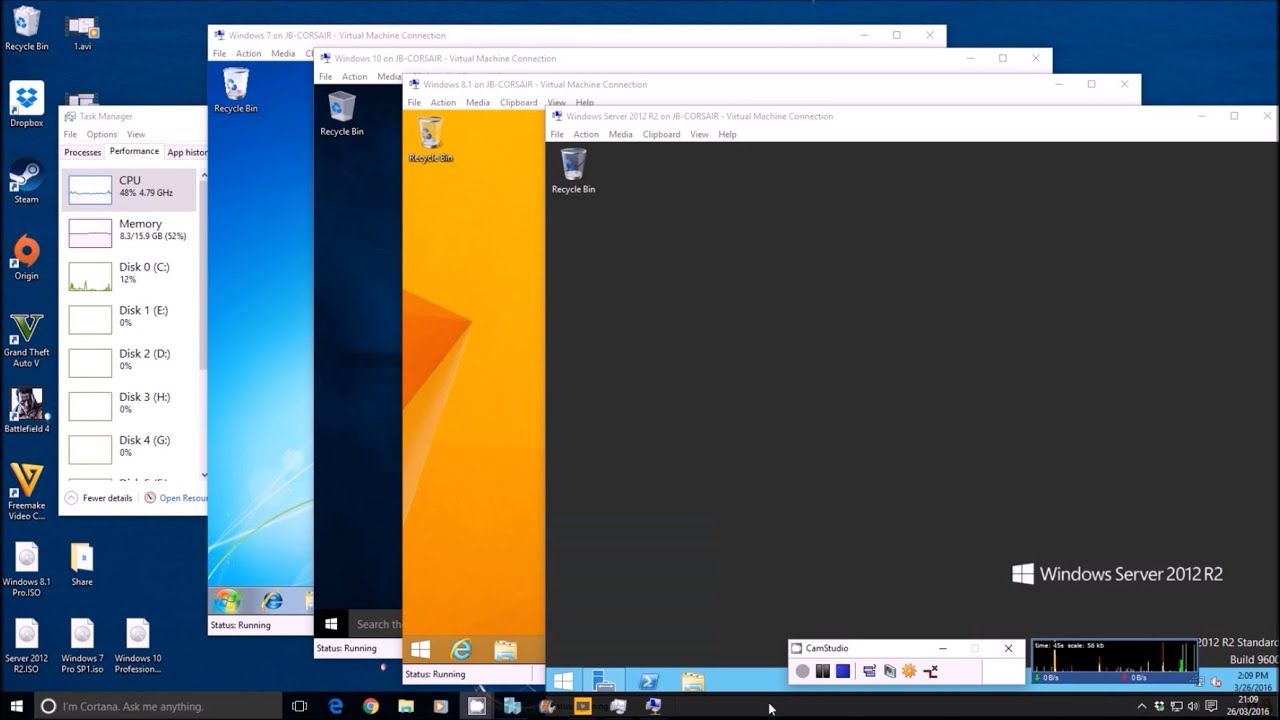
Microsoft Hypervisor (Hyper-V) is a virtualization technology developed by Microsoft which specifically serves as hardware virtualization, allowing users to run multiple operating systems virtually on Windows platform.

Now, Microsoft is looking to make Linux run as a root partition on its Hyper-V technology, with the company's engineer Wei Liu pushing out a series of patches to Linux’s Hyper-V code. While the RFC (request for comment) patches are aimed at making Linux run as a root partition (like Xen’s Dom0) on Hyper-V.

Hyper-V not only lets you run multiple virtual operating systems on the Windows platform, but also, it allows users to create virtual hard drives and network switches.

How Linux root partition support for Microsoft Hypervisor will work?


Microsoft is looking to create a complete virtualization stack with Linux and Microsoft Hypervisor, which will be a subsequent patch series to provide a device node (/dev/mshv) such that userspace programs can create and run virtual machines.


It also involves the porting of Virtual Machine Monitor (VMM) Cloud Hypervisor, and been able to boot a Linux guest with Virtio devices, which capabilities were added since late July. And as an RFC series, this implements only the absolutely necessary components that are required to get things running.

With a large portion of the series consisting of patches that augment hyperv-tlfs.h, which should be rather uncontroversial and can be applied right away.

The architecture documentation of Hyper-V implies that the root partition has direct access to physical I/O devices, so the virtualization stack in the root partition can provide a memory manager for virtualized I/O devices and management APIs. And the root partition for Microsoft Hypervisor is inspired by type-1 hypervisor (Xen), and Domain 0 (Dom0) of open source, which toolstack and drivers are for hardware that control virtual machines.

Microsoft looks to make Linux run as a root partition on its Hyper-V technology

Manjaro Linux team has announced a new point version, Manjaro 20.1 “Mikah” which is the latest release that supersedes the previous Manjaro 20.0 “Lysia” with more improvements, and refreshed user interfaces.

While Manjaro is designed to work "straight out of the box" with focus on user friendliness and accessibility, and Manjaro 20.1 “Mikah” has continued with the user-friendly-focus bringing its flagship Xfce, GNOME and KDE editions for the popular desktop Linux distribution.

And along with the support for the ZFS file system, Manjaro 20.1 has now enabled ZFS installation by providing the needed kernel modules.

What's new in Manjaro 20.1 “Mikah” Release?


Manjaro 20.1 has its default package manager, Pamac, updated from v9.4 to v9.5 and subsequently, results to an enhanced alpm error handling, optimized internal check dep algorithm, improved database performance, and better internal search algorithm.


Also, Manjaro has added AUR (Arch User Repository) package building to version 20.1, to build packages from the Arch User Repository and install as many packages as possible. And on the desktop environment, Manjaro 20.1 continues the offer of three distinct ISO images for Xfce, KDE, and GNOME desktops.

Additionally, Manjaro 20.1 has packed KDE-based apps from KDE 20.08 application bundle, with KDE edition switched from its Plasma desktop from version 5.18 to the latest 5.19.

How to Upgrade to Manjaro 20.1 “Mikah” Release


Manjaro being a rolling release Linux distro, means that you only need to update your package database and all the packages on the system to switch to the new version, by simply running the following command in your terminal:

sudo pacman -Syu


But, you can also use the below command to force a full refresh of the package database and update the packages on the system.

sudo pacman -Syyu


And the three different ISO images with Xfce, KDE, and GNOME desktop can be downloaded from the official site.

Manjaro 20.1 “Mikah” Release: Build Packages from Arch Linux’s AUR (Arch User Repository)

C++20 is the moniker for the revision of the ISO/IEC standard, which follows C++17, for the C++ programming language.

While the standard have received final technical approval by WG21 at the meeting in Prague in February 2020 and now undergoing final editorial work, following the approval of the draft on 4th September 2020.

C++ remains a very important language, and it is voted the fastest-growing language in the Tiobe Index of September 2020, where it ranks fourth behind C, Java, and Python. And Tiobe cites the C++ 20 specification as the major factor that gave the programming language a boost.

What's New in C++ 20?


C++20 brings new major features which were formerly not available in C++14 or C++17, with some changes that have been accepted into and those that have been discussed for inclusion into C++20. The new major capabilities in C++ 20 include:

  • Synchronization library, for better support of fine-grained hardware control.
  • Concepts to specify template requirements and support generic programming, which promises to improve code quality.
  • Coroutines helps to generalize subroutines for use in nonpreemptive multi-tasking. Though the standardized support for coroutines is still lacking, as the full support is expected in C++ 23.
  • Expansion statements for compile-time repetition of a statement for each element of a tuple, array, class, parameter pack, or range.
  • Improvements in the context-sensitive recognition of import and module to aid non-compiler tools to determine build dependencies.
  • Modules that enables programmers to use modular components.


Additionally, the new rangified algorithms which is a pure library extension of the Standard, with the paper complements P0896 adding rangified overloads for some of the non-parallel additions to since C++14, from whence the Ranges TS took its algorithms.

Also, the contracts capability which was expected in C++ 20 that specify pre-conditions, post-conditions, and assertions, have been removed. Therefore, Contracts has been marked as a C++ 23 item, albeit it may not make it to the final release.

C++ 20 Gets Technical Approval with features such as Modules and Coroutines

Deepin Linux team has released the stable version of Deepin 20 series, dubbed Deepin v20 (1002), with major improvements ranging from new aesthetic design, and dual-kernel system, among others.

While Deepin 20 Beta release, which was originally scheduled for January 2020 release date, but arrived 3 months after brought a unified design style, with redesigned desktop environment and applications, bringing a new interactive experience.

Deepin is perhaps one of the most beautiful Linux distro, with the Deepin 20 Stable release, which is the latest major version of the desktop environment bringing new visual look to the base repository, and the latest Linux kernel.

What’s New in Deepin V20 (1002)?


Deepin Linux distro is based on the popular upstream Debian GNU/Linux, which means that the new Deepin 20 (1002) has its underlying repository upgraded to the latest Debian 10.5.


It has added support for dual kernel installation, allowing users to have dual kernel options, including: Linux Kernel 5.7 (Stable) and Kernel 5.4 (LTS) in the system installation interface with their “Safe Graphics” modes. And Deepin 20 improvised design of Desktop Environment (DDE) and system installer, makes the desktop more user-friendly and the newly introduced colorful icons, graphics interface, offers an exquisite multitask view.

Deepin has also made the design of the system installer simpler and the system installer can now detect NIDIVIA cards to offer closed-source drivers to be installed. With the added support for a variety of authentication features, including fingerprint readers to deliver accurate fingerprint recognition.

The fingerprint options in Deepin Linux is for several purposes such as logging in, unlocking, identity verification, and getting root permissions.

How to Upgrade to Deepin 20 (1002)?


Deepin 20 (1002) ISO image is now available for download from the official download page, and if you’re an existing user on Deepin 15.11, you can upgrade to V20 (1002) by changing your source in
/etc/apt/sources.list

to
deb [by-hash=force] https://community-packages.deepin.com/deepin/ apricot main contrib non-free


And add the official source for the app store in
/etc/apt/sources.list.d/appstore.list


But if the file does not exist, you can create a new one and add the line below:

deb https://community-store-packages.deepin.com/appstore eagle apps


You can also watch the official promo video of Deepin 20 (1002) here for further guidance on available features.

Deepin 20 Stable release brings new Aesthetic Design and Dual-kernel System

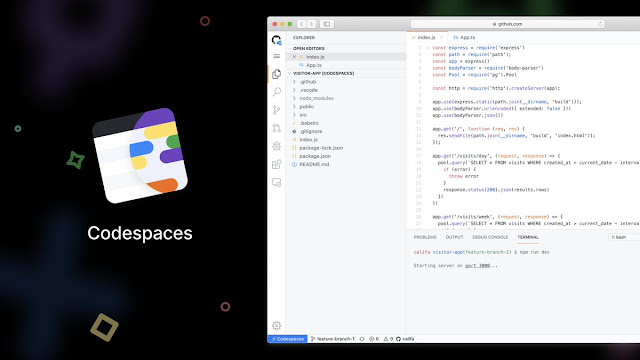
Microsoft’s Visual Studio Codespaces will soon be incorporated into GitHub Codespaces, which service will provide hosted Visual Studio Code environments on GitHub, with the current Azure-based offering to be retired in February 2021.

While the Visual Studio Codespaces provide cloud-hosted development environments on Microsoft Azure, the service will be moved because the company believes that transitioning to a codespace from a repository is the most-criticized part of the workflow.

Given that the vast majority of developers preferred a native, and integrated, one-click access experience, which GitHub as the home of 50 million developers can address the issue.

How Visual Studio Codespaces will compliment GitHub Codespaces


GitHub Codespaces is currently a limited public beta, which means that developers need to apply into the program. And if a developer connect to a GitHub Codespace through the Visual Studio Code editor, it will prompt to add a GitHub account to the beta.

GitHub Codespaces


For an optimized experience on GitHub repos, developers can also use Git repos hosted elsewhere, such as on Microsoft Azure or Bitbucket, which requires only a few additional configurations. And the Private Preview for Visual Studio and Windows SKU support will also be moving over to GitHub as part of the service consolidation.

Albeit, Microsoft will continue to support the Private Preview in the current service until the consolidation is complete, after which all Private Preview users will then be moved to GitHub Codespaces.

How current Visual Studio Codespaces users can move to the GitHub beta?


GitHub Codespaces is still in limited public beta, therefore, there is no charge for it. The pricing for GitHub Codespaces may be announced after Codespaces gets a general availability status, which is expected later in the year.

And for a Visual Studio Codespaces user to move to the GitHub beta, there is need to provide the GitHub account you’d like to be added to GitHub Codespaces beta. Then, you will be contacted in one of the following ways, either via the form indicated in the service retirement announcement e-mail. Or upon connection to a Visual Studio Codespace, you’ll be prompted via a notification toast to provide your information.

If you are successfully added to the GitHub Codespaces beta, you’ll then be able to create a codespace from any of your GitHub repositories directly.

Microsoft’s plan to incorporate Visual Studio Codespaces into GitHub Codespaces

NuTyX is a GNU/Linux distribution with high flexibility, leveraging on the collections and groups concepts, built from “Linux From Scratch” project with own custom package manager.

While NuTyX has announced a new version, NuTyX 11.6 release that follows the previous version NuTyX 11.5 released in May 2020, with upgraded ‘Cards’ - which is the custom package manager.

Also, the package manager allows you to install individual binary packages or group of related binary packages, which NuTyX has made possible with the availability of Flatpak.

What's New in NuTyX 11.6 Release?


Besides the upgraded custom package manager, ‘Cards’ from version 2.4.115 to 2.4.122, users can now install more packages, like Flatpak packages, using the universal Flatpak package management utility.

NuTyX 11.6


NuTyX has also updated its supported desktop environments, including KDE Plasma 5.19.5, MATE 1.24.1, and Xfce 4.14.1, with its own framework 5.73.0 and application bundle 20.08.1. While on the core component, NuTyX 11.6 comes with the Long-Term Support (LTS) kernel 4.19.143 and latest stable kernel 5.8.7.

And the ‘kernel-419’ package in NuTyX has replaced the ‘kernel-lts’ package, it now includes four versions of the LTS kernel along with the last stable kernel, like kernel 4.9, 4.14, 4.19, 5.4, and 5.8, with VirtualBox and NVIDIA graphics card drivers also available for all five kernel versions.

How to Upgrade to NuTyX 11.6 Release?


For existing users of NuTyX Linux distro, you can simply run the following single command to upgrade your system to the latest version NuTyX 11.6:

sudo cards upgrade


But if you are a new user, and want to install NuTyx from scratch, you can download the ISO images which are available in “Fixed” and “Rolling” releases for both 64-bit and 32-bit versions.

NuTyX 11.6 Release: Linux From Scratch project with custom Package Manager

Raccoon attack


Transport Layer Security (TLS), and its now-deprecated predecessor, Secure Sockets Layer (SSL), are cryptographic protocols that provide communications security on a computer network.

While several versions of the protocols are employed in widespread use for applications like email, instant messaging, web browsing, and voice over IP. Now, there is a new timing vulnerability in TLS protocol, as disclosed by a group of researchers that could potentially allow attackers to break the encryption to read sensitive communication under certain conditions.

The vulnerability, dubbed "Raccoon Attack," is a server-side attack that exploits a side-channel in the cryptographic protocol on versions TLS 1.2 and lower to extract shared secret key used for secure communications.

How Raccoon Attack leads to Leak of Secret Keys


The vulnerability relies on precise timing measurements and specific server configuration, and it uses the time measurements to compromise a cryptosystem; also employing the same strategy for the Diffie-Hellman (DH) key exchange process during TLS handshake, which is necessary in sharing data securely over a public network.


And the handshake messages between a client and server is recorded, and thus, used to initiate new handshakes to the server, while subsequently measuring the time which it takes for the server to respond to the operations in deriving the shared key.

Now, the shared secret key which is generated during the exchange enables secure browsing, and allows users to safely navigate through websites by protecting the network communications against man-in-the-middle (MitM) attacks.

How Browser and Web technology vendors have responded to the Raccoon Attack


F5 specializes in application services and application delivery networking, and several of their products were found to be vulnerable to a "special" version of the Raccoon attack (CVE-2020-5929) which doesn't resort to timing measurements by directly observing the contents of server responses, so the company has released a patch to thwart the attack by addressing the concern with ephemeral key reuse.

And browser vendors, like Microsoft, Mozilla, and OpenSSL have all released patches to thwart the attack, with Mozilla on its part, haven turned off DH and DHE cipher suites in Firefox browser, and Microsoft recommending that Edge users should disable TLS_DHE.

Raccoon Attack: Server-side attack exploiting a side-channel in the SSL/TLS protocol