Showing posts with label Web Tools. Show all posts
AngularJS is the first major JavaScript web application framework developed by Google, which was released in 2010, but now discontinued, haven reached end of life on December 31, 2021.

Google will no longer release security patches or updates for AngularJS framework, leaving the numerous websites and applications built using AngularJS less secure over time as more security weaknesses are discovered in the AngularJS framework which go unfixed.

Now, there is a good chance that your favorite website or application was built using AngularJS, that leaves them open to hackers and other malicious actors to inject their own code into the web applications and gain access to your data.

What can Web users do to remediate the Situation?


As a web user, there isn't much you can do about the situation, other than letting your developers to know about your concerns.



While the onus falls on the developers for your web applications and websites to make the neccesary update, it is important to note that discovering vulnerabilities in the framework can take longer time and larger effort, as AngularJS will become less attractive to target as more web applications and websites move to other frameworks.

However, it’s pretty difficult to say exactly how many users AngularJS still has, as the framework is mostly distributed as a JavaScript file referenced directly from a static server.

What are the Upgrading / Migration options available?


AngularJS end of support doesn’t mean developers need to abandon their existing applications, several ways exist to migrate and continue advancing their web solutions.

Google has positioned Angular as a “batteries included” framework with built-in best practices, intended to support every developer with migrating their applications, leveraging the ng update experience.

Additionally, there are other JS frameworks like React or Vue.js, to which they can migrate old applications. Albeit, it can be completed incrementally with inbuilt tools, such as ngUpgrade which is a special library that matches AngularJS and Angular components, with React having ngReact, ngimport and Vue.js, ngVue.

What AngularJS End Of Life means for Web Users?

GitHub Archive Program is a project to preserve open source software for future generations, as the world runs on open source software, ensuring the amazing works of the open source community are preserved.

While the idea behind the project is to go back in history to preserve the work of individual developers, students, and lesser known developers and their open source projects. Now, the project has expanded with donations to the Bodleian Library at Oxford University in England, the Bibliotheca Alexandrina in Egypt, and the Stanford Libraries in California; and also, storing a copy in the library at GitHub’s headquarters in San Francisco.

And GitHub will be preserving its most popular repositories by the “stars” given by the community, which include projects like Ruby and Go programming languages, with Linux and Android operating systems.

Open source Archive beyond the GitHub Arctic Code Vault


The Archive program includes the storage of a code archive in the Arctic World Archive in Svalbard, Norway, about one mile away from the famous Global Seed Vault, by storing 21TB of repository data and 186 reels of piqlFilm in a decommissioned coal mine in the permafrost this summer.


In partnership with the Long Now Foundation, the Software Heritage Foundation, the Internet Archive, Arctic World Archive, and Microsoft Research, the program aims to preserve both “warm” and “cold” versions of code to ensure multiple copies and formats are preserved, also known as the Lots Of Copies Keeps Stuff Safe (LOCKSS) approach by archivists.

And the overriding idea is to preserve a moment in time, where open source will become the premier mode of software development, and chart the cultural significance of the movement.

Whom are the Archive Program meant to serve?


The archive program is being meant for two sets of people, namely: historians and future software developers who are curious about how a software was developed.

And each donation is encased using a combination of AI-generated art and 3D printing, with all the archived code having technical guides to QR decoding, character encodings, file formats, and other critical metadata; so that future developers can easily decode it.

GitHub expanding its Archive Program into three Historic World Libraries

Google One is a subscription-based service provided by Google with offers that expand cloud storage, intended for businesses and enterprise users, starting with 15 gigabytes of free storage shared across Google Drive, Gmail, and Google Photos.

While the company has announced a free VPN service targeted at Google One subscribers with a 2TB or higher plan, with the free VPN addon now rolling out to users on Android.

Google has also added Pro Sessions for 2TB and above plan holders, which sessions allow members to have a one-on-one interaction with Google experts for guidance on how to use Google products, including the Google One membership; the Pro Sessions is currently available for users in the UK, U.S., and Canada.

How the Free VPN By Google One works?


Google One VPN Service is not available for 100 or 200GB plans which starts at $1.99/month and you’ll need a 2TB or higher plan to be qualified for the Free VPN service, which plan starts at $9.99/month all the way up to $299.99/month for the 30TB plan.


The use of VPN is necessary as your browser and apps communicate sensitive information online frequently, and some websites and apps run outdated, weak or even no encryption at all. While data is in transit, unsecured connection can be intercepted or modified by hackers, which can lead to compromise to your privacy and overall security.

So, if you enable a VPN, your data will be protected through a strongly encrypted tunnel, which the VPN operated by Google offers through its secure global servers.

How to get Started with Google One VPN Service


The Google One VPN service is one of the many benefits included with 2TB and higher plans (currently available for U.S. users only), through the Google One app for Android, with support for more regions coming soon.

If you're an existing Google One subscriber in the U.S. on a 2TB or higher plan, you can get access to the VPN at no additional cost, by simply turning on the VPN with one tap from the Google One Android app. While the Google One VPN service for iOS, Windows, and Mac are still in the works.

Google One adds Free VPN Service for Users with 2TB plan and above

Fuzz testing implies a method of detecting bugs in software by feeding unexpected inputs to target program, which could be very effective at finding memory corruption issues which are often the cause of serious security problems.

While Project OneFuzz is the testing framework used in-house by Microsoft for Edge browser and Windows debugging, and now made available as an open-source tool via GitHub for all developers to use.

According to Microsoft, fuzz testing is effective for improving code quality, which is a perfect standard for finding and removing exploitable security vulnerabilities, and increasing the security and reliability of native code.

What the release of Project OneFuzz as open-source means to developers?


Microsoft’s aim of releasing of Project OneFuzz as open-source is to enable developers to easily and continuously fuzz test their code before its final release, and the global release of Project OneFuzz is intended to help secure the platforms and tools that we all depends to carry out our daily digital tasks.


Already, Project OneFuzz has enabled continuous developer-driven fuzzing of Windows which allowed Microsoft to proactively secure the platform prior to shipment of the latest OS builds. It will allow developers to create unit test binaries with modern fuzzing lab which is compiled in a highly reliable test invocation, and detect errors with a single executable.

And developers can be able to launch fuzz jobs ranging in size from a few virtual machines to thousands of cores, with such enablements as: on-demand live-debugging of found crashes, programmatic triage and result deduplication, with crash reporting notification callbacks.

How to get Started with Project OneFuzz


Project OneFuzz is now available on GitHub under an MIT license for developers to try out! And it will be updated by contributions from both Microsoft Research and Security Groups, with input from other partner teams to expand fuzzing coverage and continuously improve the security of all platforms and products.

And Microsoft will continue to maintain Project OneFuzz by releasing updates to the open-source community as they occur.

Project OpenFuzz: Microsoft Azure fuzz testing framework now open-source

Oracle has open-sourced its Tribuo Java machine learning library, and makes it available free under an Apache 2.0 license; which tool is developed by Oracle Labs, and now accessible on GitHub and Maven Central.

While Oracle is looking to make it easier for developers to build and deploy machine learning models in Java, as it has already happened with Python, and meeting enterprise needs in the machine learning space.

Tribuo offers standard machine learning functionality which includes algorithms for building and deploying classification, clustering, and regression models in Java, with interfaces for TensorFlow, XGBoost, and ONNX.

How Tribuo can be useful in Natural language processing?


As Tribuo includes pipelines for transformation of data and provides a suite of evaluations for supported prediction tasks, and also collects statistics on inputs, it can describe the range of every input, with features like, managing IDs and outputs to avoid ID conflicts and confusion for chaining models.


Tribuo model identifies a feature when seen for the first time, which is particularly useful in working with natural language processing, and the models knows exactly what outputs are, with the outputs being strongly typed, therefore Developers don't have to wonder whether a float is a probability, regressed value, or a cluster ID.

The provenance system in Tribuo can also generate a configuration that rebuilds the training pipeline to reproduce the model, with a tweaked model that can be built on new data or hyperparameters, allowing users to always know what a model is, where it came from, and how to create it.

Tribuo filling a gap for machine learning in Enterprise applications


Oracle believes that Tribuo can fill a gap in the marketplace for machine learning for enterprise apps, whereas the Google-built TensorFlow library already provides core algorithms for deep learning, Tribuo can offer several machine learning algorithms, which are in not available in TensorFlow.

And also providing an interface to TensorFlow, with the Apache Spark analytics engine for large, distributed systems, Tribuo will be ideal for smaller computations on a single machine.

Additionally, Tribuo provides interfaces to XGBoost and the ONNX runtime, along with to TensorFlow, allowing models trained in TensorFlow and XGBoost or stored in the ONNX format to be deployed alongside native Tribuo models, which support allows deployment in Java of models using popular Python libraries such as PyTorch.

Oracle open sources Tribuo Java machine learning library

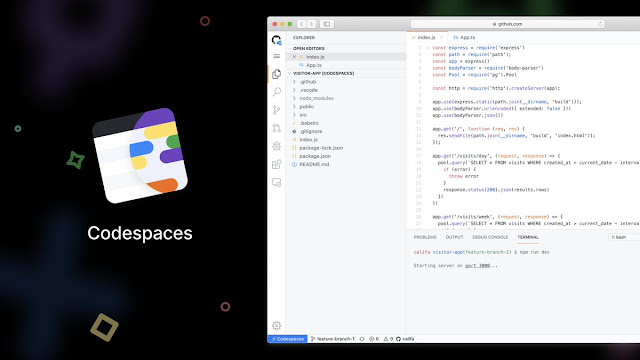
Microsoft’s Visual Studio Codespaces will soon be incorporated into GitHub Codespaces, which service will provide hosted Visual Studio Code environments on GitHub, with the current Azure-based offering to be retired in February 2021.

While the Visual Studio Codespaces provide cloud-hosted development environments on Microsoft Azure, the service will be moved because the company believes that transitioning to a codespace from a repository is the most-criticized part of the workflow.

Given that the vast majority of developers preferred a native, and integrated, one-click access experience, which GitHub as the home of 50 million developers can address the issue.

How Visual Studio Codespaces will compliment GitHub Codespaces


GitHub Codespaces is currently a limited public beta, which means that developers need to apply into the program. And if a developer connect to a GitHub Codespace through the Visual Studio Code editor, it will prompt to add a GitHub account to the beta.

GitHub Codespaces


For an optimized experience on GitHub repos, developers can also use Git repos hosted elsewhere, such as on Microsoft Azure or Bitbucket, which requires only a few additional configurations. And the Private Preview for Visual Studio and Windows SKU support will also be moving over to GitHub as part of the service consolidation.

Albeit, Microsoft will continue to support the Private Preview in the current service until the consolidation is complete, after which all Private Preview users will then be moved to GitHub Codespaces.

How current Visual Studio Codespaces users can move to the GitHub beta?


GitHub Codespaces is still in limited public beta, therefore, there is no charge for it. The pricing for GitHub Codespaces may be announced after Codespaces gets a general availability status, which is expected later in the year.

And for a Visual Studio Codespaces user to move to the GitHub beta, there is need to provide the GitHub account you’d like to be added to GitHub Codespaces beta. Then, you will be contacted in one of the following ways, either via the form indicated in the service retirement announcement e-mail. Or upon connection to a Visual Studio Codespace, you’ll be prompted via a notification toast to provide your information.

If you are successfully added to the GitHub Codespaces beta, you’ll then be able to create a codespace from any of your GitHub repositories directly.

Microsoft’s plan to incorporate Visual Studio Codespaces into GitHub Codespaces

Nearby share chromebook


While Chromebooks already have capabilities that make them work with Android, like Instant Tethering, Google is rolling out a new feature called Nearby Share that will make Android and Chromebook work better together.

The AirDrop-like file sharing feature, Nearby Share is already available for select Android devices, including the Pixel lineup and a few Samsung devices. But, Google has confirmed that it will come to all Android devices running 6.0 or higher in the coming weeks.

Nearby Share for Android will rely on Bluetooth, Wi-Fi direct, and third-party apps such as ShareIT for easy file sharing.

How Nearby Share will work on Android


Nearby Share works by automatically choosing the best protocol for fast sharing either using Bluetooth, Bluetooth Low Energy, WebRTC or peer-to-peer WiFi, allowing file sharing even when fully offline.

Nearby Share


Similar to AirDrop, you can choose the visibility settings such as: all, some, or stay hidden so that others can't detect that you are sharing files, with the possibility of sending the files anonymously.

Nearby Share will eventually work with Chromebooks for swift sharing of files between Android device.

How safe and secure is Nearby Share


Google claims that Nearby Share was built with privacy at its core, so you can share and receive files with peace of mind.

As Nearby Share allows you to send and receive files anonymously, it also allows you to adjust the privacy settings from your phone’s Quick Settings which you can set to “hidden,” visible to “some contacts” or visible to “all contacts,” so that you will never receive unsolicitaed files.

Google promises to bring Nearby Share to more devices in the Android ecosystem over the next coming weeks.

How to Instantly share files between Android and Chromebook with Nearby Share

1Password Linux app


1Password is a popular password manager that provides a place for users to store their passwords and other sensitive information securely, developed by AgileBits, with a virtual vault using a PBKDF2-guarded master password.

Now, the cross-platform password manager app, 1Password, has finally arrived for the Linux platforms with full native support, and currently in development preview. This initial release is available for testing purposes only, and therefore, it is recommended that users should not use it within business environments.

As expected, the official release will be announced later this year with a long-term support, including new features and changes over the next few months.

What does 1Password Native Linux App means?


While there is a stable version of 1Password for Linux, but it can only be used in the browser. And the 1Password Native Linux App, on the other hand means that it can now be installed as an AppImage.

1Password Native Linux App is built using Rust for secure backend and React.js library for responsive component-based frontend, with the app including full end-to-end encryption for security with performance improvements for Linux users.

For the 1Password developer preview for Linux, some of the current supported features are as follows:

  • Automatic Dark Mode
  • Support for Tiling window manager
  • Unlock with biometrics and Linux user account
  • X11 clipboard integration
  • Installation via apt and dnf packager managers
  • Data export support


Additionally, Linux users can unlock multiple accounts with different passwords and also, be able to create collections to organize data across accounts and vaults.

How to Download 1Password Native Linux App


As a preview release, 1Password Linux app is currently a read-only, meaning that you can sign in, view items, search, and copy, but you can’t edit or create anything yet.

So, if you want to give it a spin, the testing version of 1Password can be downloaded on Linux distributions such as Debian, Ubuntu, CentOS, or Red Hat, by following the installation instructions available here. And for other Linux distros, it is available to download as an AppImage.

1Password Download: A Native Linux App Release Available For Download